

AI CRM Software Explained: Features, Benefits & Use Cases
Insights / AI CRM Software Explained: Features, Benefits & Use Cases

Table of Contents
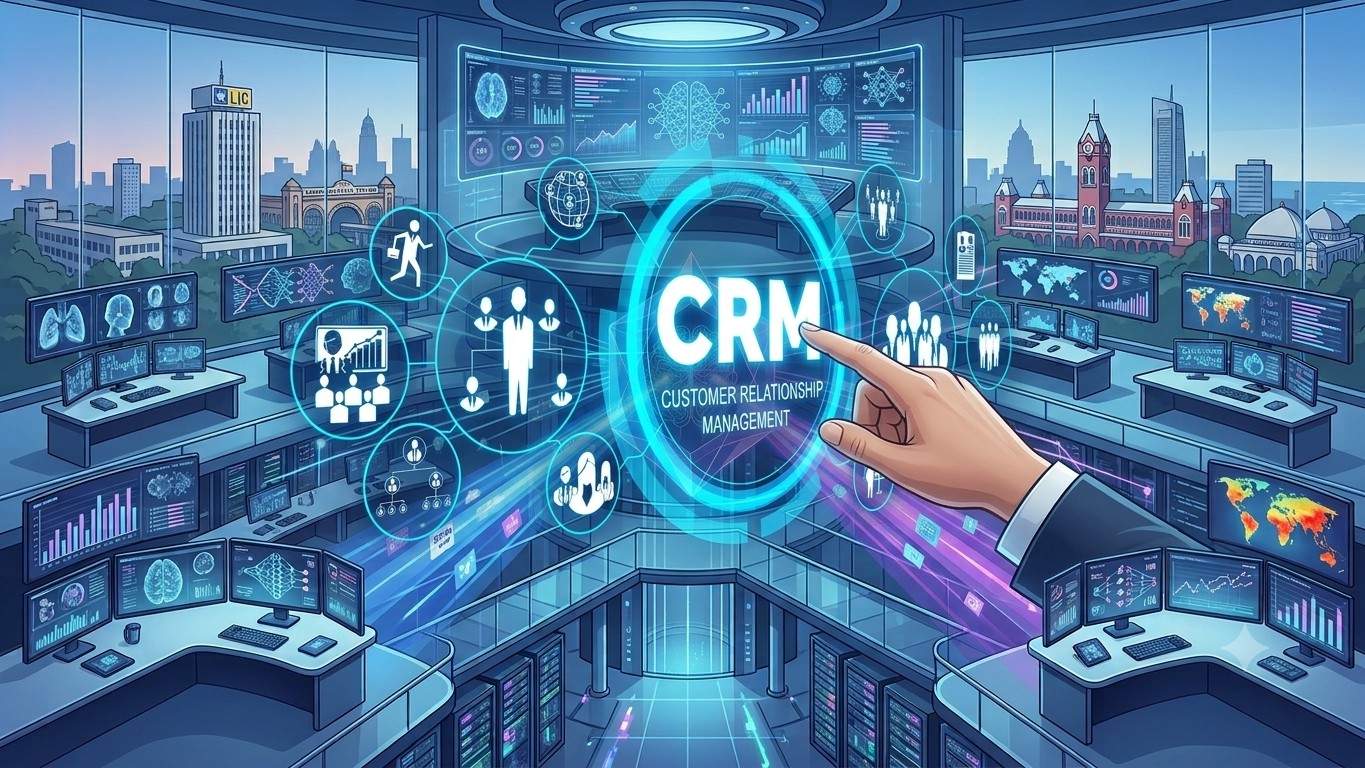
Customer Relationship Management has always been about one thing: knowing your customers well enough to serve them better. AI CRM software takes that idea and finally puts real intelligence behind it. Instead of a system that just stores contact details and deal stages, an AI CRM platform actively studies that data, predicts what’s likely to happen next, and takes action on your behalf — often before a human even opens the record.
It’s not a small shift. Salesforce’s State of Sales 2026 research found that 87% of sales organisations now use some form of AI, and sellers with access to AI agents report cutting prospect research time by roughly a third. But “AI CRM” has also become a crowded, sometimes confusing label — plenty of platforms bolt a chatbot onto an old system and call it done. This guide breaks down what AI CRM software actually is, what separates a genuinely AI-native CRM from an AI-added one, the features and benefits that matter, and where it delivers real, measurable value.
- What Is AI CRM Software?
- AI-Native CRM vs. “AI-Added” CRM: Why the Difference Matters
- How Does AI CRM Software Actually Work?
- Core Features of Modern AI CRM Platforms
- Key Benefits of AI CRM Solutions
- Real-World Use Cases of AI CRM Platforms
- AI CRM vs Traditional CRM: A Side-by-Side Comparison
- How to Choose the Right AI CRM Platform
- What ROI Can You Expect from AI CRM Software?
- FAQs
What Is AI CRM Software?
AI CRM software is Customer Relationship Management software that uses artificial intelligence — machine learning, natural language processing, and predictive analytics — to automate tasks, surface insights, and recommend next steps across sales, marketing, and support, rather than simply storing customer records for humans to read.
In a traditional CRM, the system is a filing cabinet: it holds names, deal stages, and ticket histories, and it’s up to a person to log in, read the data, and decide what to do with it. An AI CRM platform flips that relationship. It scores leads by likelihood to close, flags accounts at risk of churn, drafts the follow-up email, and routes the support ticket to the right agent — often without anyone asking it to. The data is the same; what changes is that the system now reads it, reasons over it, and acts on it continuously.
AI-Native CRM vs. "AI-Added" CRM: Why the Difference Matters
This is the distinction most buyers miss, and it’s worth slowing down for. Many of the CRM platforms marketed as “AI-powered” today are traditional, rules-based systems with an AI assistant layered on top of one module — a chatbot bolted onto support, a scoring model bolted onto sales. It’s useful, but the AI is confined to the corner it was added to, and it usually needs a separate integration to reach any other part of the business.
An AI-native CRM is built the other way round: the AI layer sits underneath the entire platform from day one, so intelligent agents can act across the full customer lifecycle — sales, marketing, finance, projects, and support — without stitching together point solutions. That matters in practice because a lead’s behaviour on a support ticket, a marketing email, and a sales call all become part of the same picture, and the AI can act on all of it, not just the slice it happens to sit inside. When you’re comparing AI CRM solutions, this architectural question — is the AI native to the platform, or added to it? — is usually more predictive of long-term value than any single feature on a spec sheet.
How Does AI CRM Software Actually Work?
Most AI CRM platforms follow a similar sequence under the hood, whether the front-end feature is a lead score, a chatbot reply, or an auto-drafted email:
- Data unification — the platform pulls activity from every touchpoint (calls, emails, chats, web behaviour, past deals) into one customer profile, rather than leaving it scattered across tools.
- Pattern learning — machine learning models are trained on historical outcomes — which leads converted, which tickets escalated, which customers churned — to learn what a good or bad signal looks like.
- Prediction and scoring — the system applies those patterns to live records, assigning scores such as likelihood to close, churn risk, or next-best send time.
- Recommendation — reps and agents see a suggested next step — which lead to call first, what to say, which article resolves the ticket — instead of having to work it out from scratch.
- Autonomous execution — in the more mature platforms, AI agents go a step further and complete the task themselves: drafting the follow-up, updating the field, routing the ticket, without waiting for a human to click anything.
That last step is where the category is heading. Gartner has forecast that a significant share of agentic AI CRM projects will stall by 2028 — and the cause, in nearly every case, is poor data quality rather than the AI itself. Which is a useful reminder: the intelligence is only as good as the data feeding it.
Core Features of Modern AI CRM Platforms
Predictive Lead Scoring & Deal Forecasting
Instead of a rep guessing which deals are worth chasing, the platform ranks leads and opportunities by actual likelihood to convert, based on patterns from thousands of past deals — and flags forecast risk before a deal quietly slips.
Conversational AI & Chatbots
Built-in chat and voice agents handle routine enquiries around the clock across web, WhatsApp, and other channels, escalating only the conversations that genuinely need a human.
Sentiment & Intent Analysis
Natural language processing reads the tone and intent behind emails, calls, and chats — surfacing frustration or buying signals a rep might otherwise miss in a wall of text.
Workflow & Task Automation
Repetitive admin — updating fields, logging calls, sending reminders — happens automatically in the background, freeing reps and agents to spend their time on the conversations that actually need a person.
Generative AI for Content & Communication
Follow-up emails, call summaries, and proposal drafts are generated directly from the CRM record, in the right tone, ready for a quick human edit rather than a blank page.
Unified 360° Customer Data
A single, continuously updated profile combines sales, marketing, support, and billing history, so anyone touching the account sees the full picture instead of a fragment of it.
Key Benefits of AI CRM Solutions
- Real time savings. Salesforce’s State of Sales 2026 research found sellers expect AI agents to cut prospect research time by around 34% and email drafting time by roughly 36% once fully adopted.
- Faster, more accurate forecasting. AI-assisted forecasting has been shown to improve deal-prediction accuracy by 20–35% compared with manual pipeline reviews.
- Higher conversion rates. Aggregated case-study data points to AI-enabled predictive lead nurturing lifting conversion rates by roughly 20–30%.
- Stronger retention. Businesses that implemented AI within their CRM have reported churn reductions of around 30% and retention gains of about 18% from AI-driven customer journey mapping.
- Less busywork, more selling. The average salesperson still spends around 13 hours a week on admin tasks; automating even a portion of that materially changes how much time is left for the customer.
- Measurable, if more modest, ROI than the industry’s old headline number. The widely quoted “$8.71 return for every $1 spent on CRM” comes from a 2014 Nucleus Research study and is now out of date. Nucleus Research’s more recent analysis puts the current benchmark closer to $3.10 per $1 spent — still one of the highest-ROI categories in business software, with productivity and process-efficiency gains driving over half of that return.
Real-World Use Cases of AI CRM Platforms
Use Case: Sales Teams
Reps open their day to a prioritised list instead of a flat one — the AI has already ranked leads by likelihood to close, flagged which deals are at risk of stalling, and drafted the next follow-up email. Top-performing sellers are already reported to be 1.7 times more likely than underperformers to use AI prospecting agents day to day.
Use Case: Customer Support
Incoming tickets and chats are triaged automatically — routine questions are answered instantly by a conversational ai agent, sentiment analysis flags frustrated customers for priority handling, and only genuinely complex cases reach a human agent, who receives an AI-written summary of the conversation so far.
Use Case: Marketing Teams
Instead of one generic campaign, the AI segments customers by behaviour and predicted intent, then times and personalises outreach for each segment automatically — turning a single campaign into hundreds of smaller, more relevant ones without extra headcount.
Use Case: Enterprise-Wide Operations
In an AI-native CRM, the same intelligence layer spans sales, finance, and projects — a single AI agent can qualify a lead, generate the quote, trigger the invoice, and schedule the onboarding call, because it isn’t boxed into one department’s software.
AI CRM vs Traditional CRM: A Side-by-Side Comparison
| Capability | Traditional CRM | AI CRM Software |
|---|---|---|
| Data entry | Manual, rep-driven | Largely automated from calls, emails, and web activity |
| Lead prioritisation | Manual judgment or basic rules | Predictive scoring based on historical outcomes |
| Customer support | Human-routed queues | AI triage, instant answers for routine queries |
| Forecasting | Static pipeline review | Continuously updated, pattern-based predictions |
| Content creation | Written from scratch | AI-drafted, human-edited |
| Cross-department reach | Siloed by module/integration | Unified when AI-native, spans the full customer lifecycle |
How to Choose the Right AI CRM Platform
- AI-native or AI-added? Ask whether the AI is built into the platform’s core, or bolted onto a single module — this shapes how far it can actually reach.
- Data readiness. AI is only as useful as the data it learns from; check what the platform needs from you before its predictions become reliable.
- Integration depth. Confirm it connects cleanly to the channels you actually use — email, WhatsApp, telephony, ecommerce or billing systems — without heavy custom development.
- Transparency on pricing. Several well-known platforms hide their most useful AI features behind the most expensive tier; check exactly which AI capabilities are included at your price point.
- Security and compliance. Confirm how customer data is stored, processed, and protected, especially if you operate under GDPR, DPDP, or sector-specific regulation.
- Evidence of real outcomes. Ask for concrete before/after metrics from existing customers rather than a general capability demo.
What ROI Can You Expect from AI CRM Software?
It’s worth setting expectations honestly here. The oft-cited “$8.71 per $1 spent” CRM ROI figure is over a decade old and no longer reflects today’s more complex, AI-enabled deployments. Nucleus Research’s more recent work puts the realistic current benchmark closer to $3.10 per $1 spent — with most of that return coming from productivity and process-efficiency gains rather than headline revenue growth alone. That’s still a strong return for a single software category, and the additional layer of AI features tends to accelerate rather than replace that baseline: 83% of companies now use some AI feature within their CRM, and organisations using AI-powered CRM are reported to be 83% more likely to exceed their sales goals than those that don’t.
The honest caveat: Gartner has warned that a substantial share of agentic AI CRM projects will stall before reaching that value, almost always because of underlying data quality rather than the technology itself. The businesses that see the strongest ROI are consistently the ones that treat clean, unified customer data as a prerequisite — not an afterthought.
See What an AI-Native CRM Looks Like in Practice
AI CRM software has moved well past the novelty stage — it’s now a genuine productivity and revenue lever, provided the underlying platform is built for it rather than retrofitted. Worktual‘s AI-Native CRM is built on exactly that principle: one intelligence layer spanning sales, marketing, finance, and support, so AI agents can act on the full customer picture rather than a single module’s slice of it.
Curious what that looks like for your own pipeline? Book a demo to see an AI-native CRM in action.
FAQs
1. What is the difference between a CRM and an AI CRM?
A traditional CRM stores and organises customer data for people to act on manually. An AI CRM uses machine learning and automation to analyse that same data, predict outcomes, and take or recommend action — turning a passive record into an active assistant.
2. Is AI CRM software worth it for small businesses?
Often, yes — many AI CRM platforms now offer AI features at entry-level pricing, and the time savings on admin and follow-ups can matter proportionally more for small teams with no dedicated operations staff. It’s worth checking exactly which AI features are included at your plan level before assuming parity with enterprise tiers.
3. What makes a CRM “AI-native” rather than just AI-powered?
An AI-native CRM is architected so its AI layer can act across every function — sales, marketing, finance, support — from a single unified data model. An AI-powered (but not native) CRM typically has AI features added to specific modules, which can limit how far those capabilities reach across the business.
4. How long does it take to see ROI from an AI CRM platform?
Many organisations report early benefits within the first 90 days, with fuller returns building over 12 months as adoption and data quality improve. ROI timelines depend heavily on how clean the underlying customer data is at the point of implementation.
5. Will AI CRM software replace sales and support teams?
No — the evidence points the other way. Sales reps with access to AI agents report the tooling frees up time for higher-value selling rather than replacing their role, and the same pattern holds in customer support, where AI handles routine volume so human agents can focus on complex or sensitive cases.
6. What should I look for when comparing AI CRM solutions?
Focus on whether the AI is native to the platform or added to one module, how much data preparation it needs before it becomes useful, how deeply it integrates with your existing channels, and whether the vendor can show real customer outcomes rather than just feature lists.

Related Posts

Voice AI in UK Contact Centres: What It Is and Why It’s Growing
Business-to-business (B2B) customer engagement has changed significantly as buyers now expect faster responses, connected interactions, and highly personalised experiences across every stage of the customer journey. Decision-makers no longer compare B2B experiences only with competitors within the same industry. They compare them with the seamless digital experiences they receive across retail, banking, streaming platforms, and consumer applications. This shift has increased pressure on enterprises to modernise how they manage customer relationships, support operations, and lifecycle engagement.

Hub-and-Spoke Architecture for AI Agents: How It Connects Enterprise
Business-to-business (B2B) customer engagement has changed significantly as buyers now expect faster responses, connected interactions, and highly personalised experiences across every stage of the customer journey. Decision-makers no longer compare B2B experiences only with competitors within the same industry. They compare them with the seamless digital experiences they receive across retail, banking, streaming platforms, and consumer applications. This shift has increased pressure on enterprises to modernise how they manage customer relationships, support operations, and lifecycle engagement.

AI-Driven Campaign Management: A Simple Guide for UK Businesses
Business-to-business (B2B) customer engagement has changed significantly as buyers now expect faster responses, connected interactions, and highly personalised experiences across every stage of the customer journey. Decision-makers no longer compare B2B experiences only with competitors within the same industry. They compare them with the seamless digital experiences they receive across retail, banking, streaming platforms, and consumer applications. This shift has increased pressure on enterprises to modernise how they manage customer relationships, support operations, and lifecycle engagement.


